Features that are actually used on the floor
All of them are in the product today — not roadmap promises.
Order management
Order records in one place, together with customer and branch definitions.
Create dispatch orders
Move from an order to a shipment order in a single step.
Loading orders and pallet tracking
Track package and pallet counts with the loading order.
Barcode scanning
Scan with a camera or a USB barcode scanner; both are supported.
Unique package barcode
Every package gets its own barcode, so the same carton is never loaded twice.
Configurable carton label
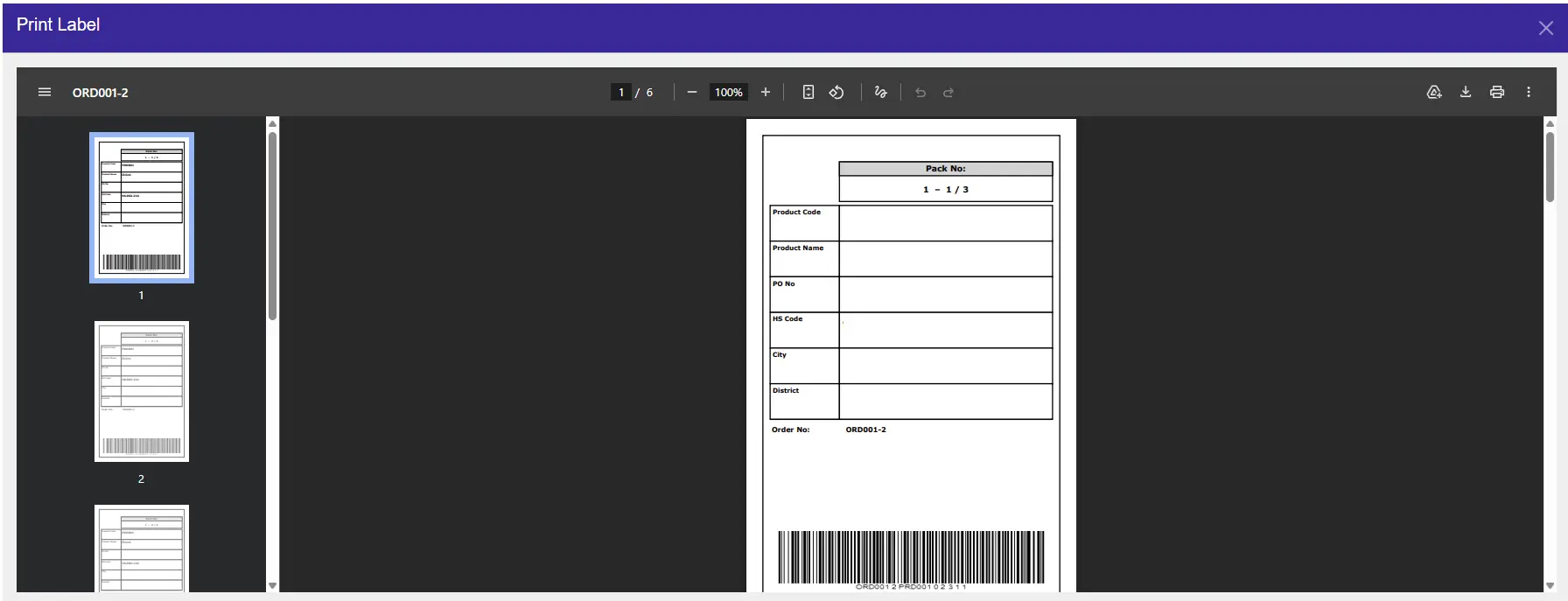
10×15 cm PDF labels by default, or a preset or custom size; turn the logo, product photo and row fields on or off in Label Settings.
Excel and PDF reports
Export your shipment and loading reports.
Multiple users and permissions
Role-based permissions; warehouse, dispatch and management each see their own.
You choose where your data lives
Cloud, on the device, or on your own server.
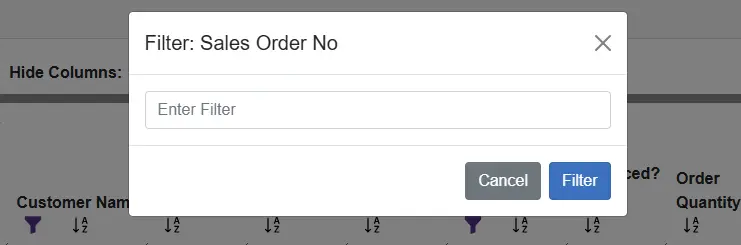
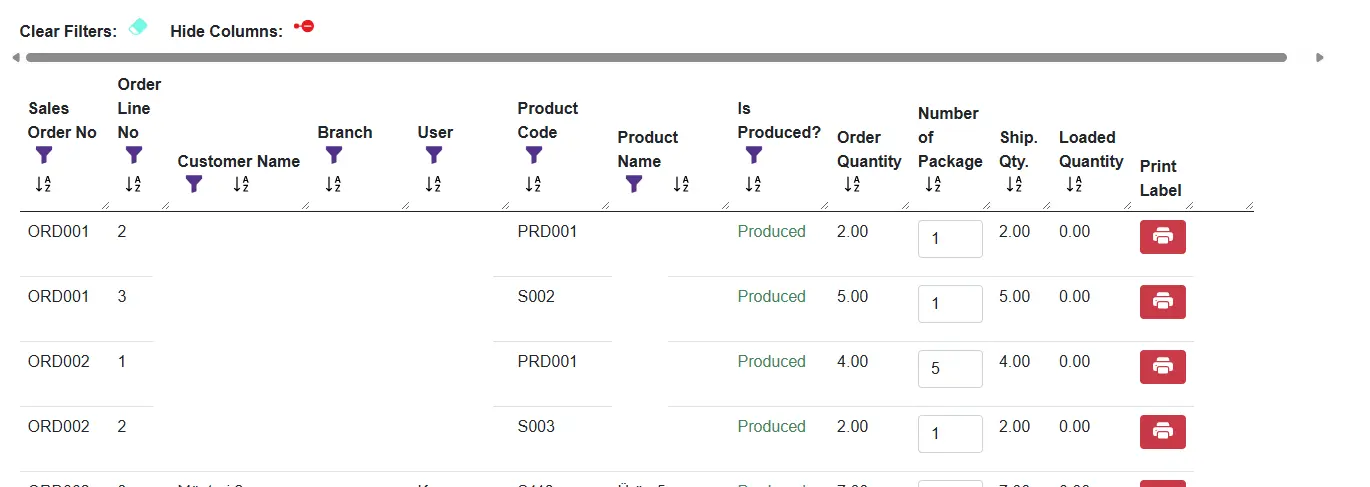
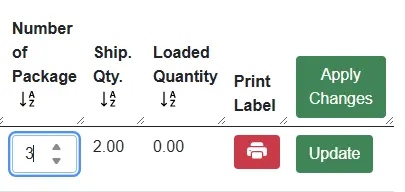
Label printing, in four steps
Real screens from the application.
Where it runs
Platforms that genuinely run in production today. A mobile edition is on the roadmap.
Pricing
Monthly or annual subscription.
Single Station
$49 /mo · annually $490
- 1 user
- On-device
- Order + dispatch + loading + barcode
- PDF label with barcode and QR code
- Excel + PDF reports
Small Factory
$179 /mo · annually $1,790
- 10 users
- Windows or Cloud
- Everything in Single Station
- Label settings: row fields, logo, photo
- Role-based multi-user
Mid-size Factory
$449 /mo · annually $4,490
- 25 users, more in packs of 10
- Cloud — on your own server
- Everything in Small Factory
- Automatic backup + local↔cloud transfer
- Priority email support
Enterprise
Let's talk · custom quote
- More than 25 users, custom pricing
- Cloud + on-premise (your own server)
- Private DB (isolated)
- ERP integration
- SLA + priority support
Frequently asked questions
Which platforms does it run on?
The Windows desktop application, the Android app (downloaded from smartifie.com) and any modern web browser. On iPhone you can add the web app to the home screen; an App Store edition is on the roadmap.
Do I have to replace my current ERP?
No. Smartifie Logistic is ERP-independent; you do not need to change your existing system to install it.
Where is my data stored?
Your choice: in the cloud, on the device itself, or on your own server. On the Enterprise plan the data is kept in an isolated database.
What label sizes can I print?
The default is 10×15 cm; in Label Settings you can pick another preset size (such as 10×10, 10×5 or A6) or enter a custom width and height between 5 and 30 cm. Labels are PDF pages; print them from the preview to any printer or download the file. The barcode is Code 128, and a QR code with the same content is printed next to it (on by default), so a phone camera can scan it too. You also choose which fields appear on the label in Label Settings.
How does it stop the same carton being loaded twice?
Every package gets a unique barcode. If a carton is scanned a second time during loading, the system warns you.
Do I need a handheld terminal to scan?
No. You can scan with a camera or with a USB barcode scanner; both are supported.
How many people can use it?
It depends on the plan: Single Station 1 user, Small Factory 10, Mid-size Factory 25 (more in packs of 10), and a custom quote beyond that. With role-based permissions warehouse, dispatch and management each see their own screens.
What do I need to do to try it?
Signing up is enough; no payment details are requested. After installing you can test it with your own data.
Get shipping out of spreadsheets
Sign up and try it with your own data. Full product details and the other Smartifie solutions are on the main site.